KRACHTVIBE FM FIRMWARE
Firmware for VIBE FM Mk1 · v0.5.2

Hard techno.
Synthesised.

KRACHT turns the VIBE into a hard techno drum machine: a kick you design, the rumble made from that kick, and the kick ducking anything you plug in.
01
Kick designer · 30 values · 4× oversampled
02
Rumble · FFT-convolved from your kick
03
Hat · open hat · clap · 16 steps
04
Sidechain IN 1+2 · GATE OUT
05
16 FX on the pads · scenes · MIDI both ways
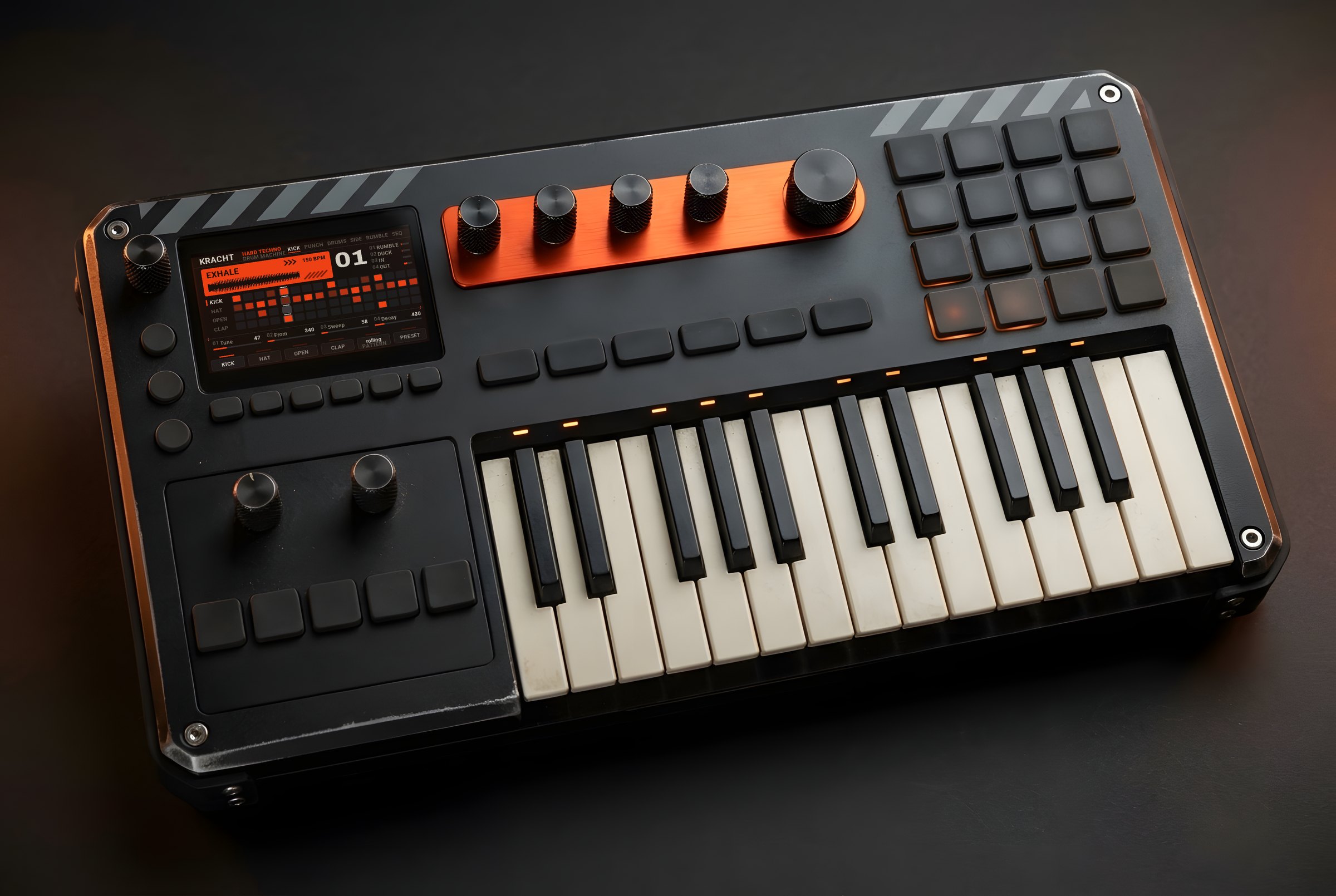
KRACHT on a rugged field-build concept of the VIBE FM
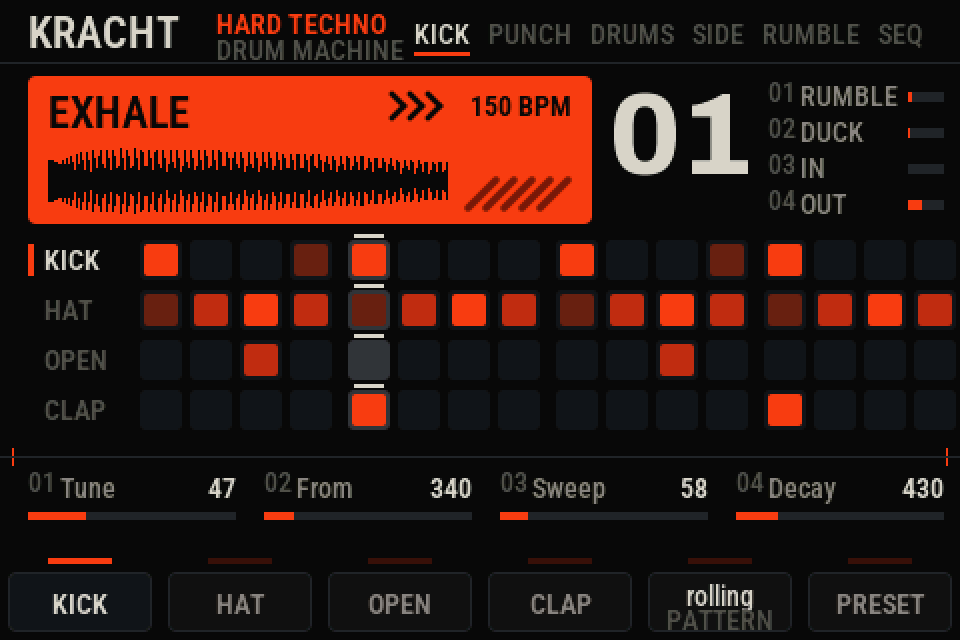
KRACHT's KICK page on the VIBE FM's 480×320 screen
01 Concept render · not a real product
01

Listen

Six takes, each played by hand on the firmware: patterns from the book and built on the pads, mutes, knobs turned while it runs, FX on the pads. No DAW, no edits, no samples – every drum is synthesised.

RecTake 1
136 BPM4/4
PresetRUMBLE
Sourcekracht.wasm · played by hand
RUMBLE · 136 BPM0:00 / 0:11

    The synth parts on IN 1 (pad, stabs, acid) are not KRACHT – they stand for whatever you plug in, to show it pumping with the kick.

    02

    Watch

    Short tutorials, played on the firmware: the whole machine in a minute, your first beat from an empty grid, then the VIBE Box, without pads. Sound on.

    03

    Read the screen

    480 × 320 pixels, everything in view while it plays.

    KRACHT's KICK page 1 2 3 4 5 6
    1. PlatePreset, tempo, the kick itselfThe first 600 ms of the kick as it sounds now, redrawn whenever you turn a value.
    2. PageThe big number01 to 08 – the page you are on: K1–K6, then MIDI and TRACKS.
    3. MetersRumble · duck · in · outWatch the duck bar fall on every kick.
    4. GridFour lanes, sixteen stepsBright = accent, dark = hit, outline = 50 % chance. The white bar is the playhead.
    5. ValuesEncoders 1–4Name, value, bar – what the four knobs above the screen do on this page.
    6. KeysF1–F6Lane, pattern (its name on the key), preset. With SHIFT: mute a lane. Patterns and mutes switch on the next bar.
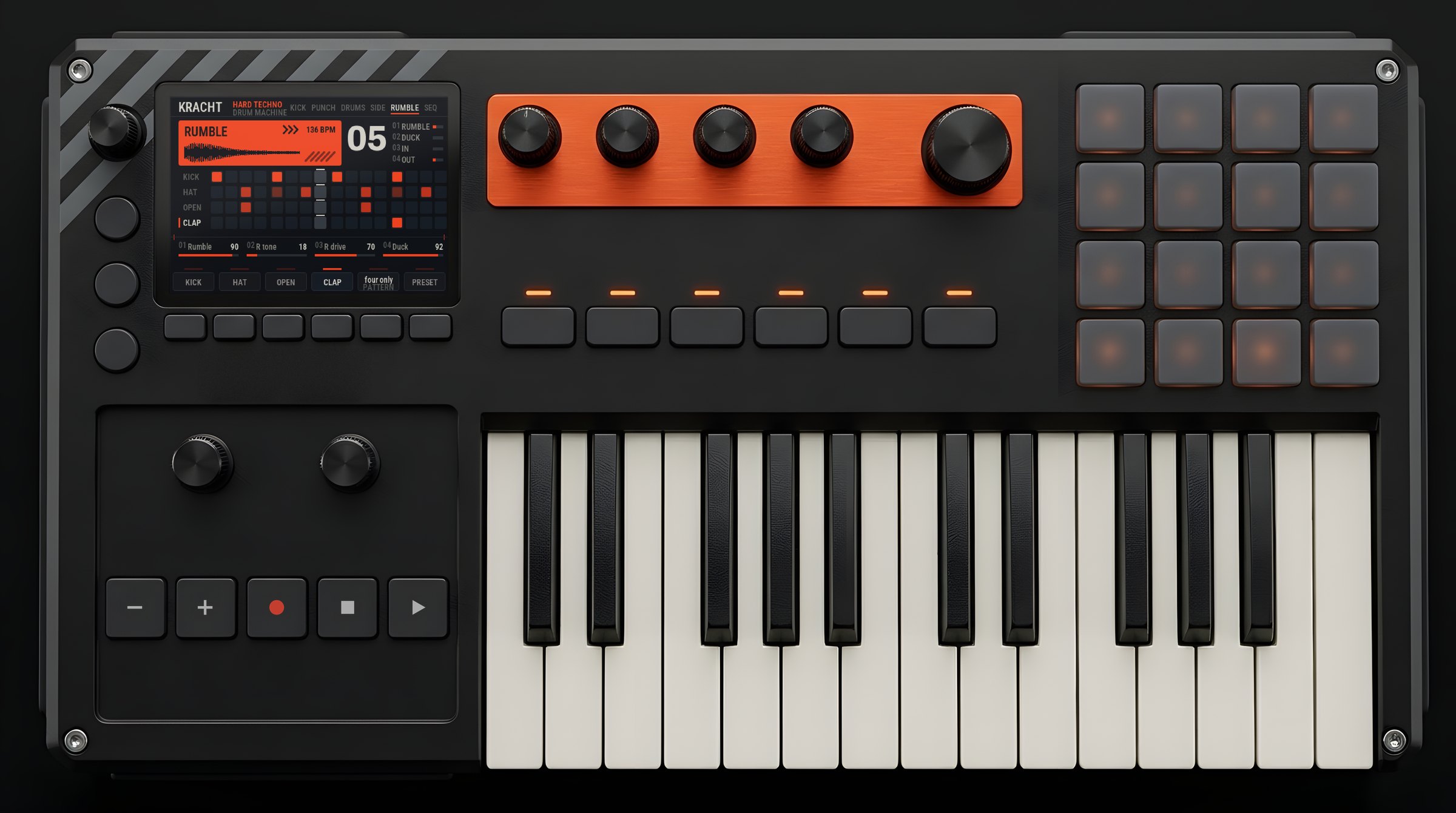
    Top-down concept render of a rugged field-build VIBE FM running KRACHT's RUMBLE page AValues 1–4 BK1–K6 · pages CF1–F6 D16 steps EVolume · release F− + rec stop play GPlay live Concept render · not a real product
    AEncoders 1–4
    The four values of the page, as on the screen's bottom row.
    BK1–K6
    Kick · punch · drums · side · rumble · seq, then midi and tracks on K6. The big number follows. SHIFT + RETURN: they play the drums.
    CF1–F6
    Lane, pattern, preset · SHIFT: mute · F5 held: lane empty. Changes land on the next bar.
    DPads
    The lane's 16 steps: hit, accent, ghost, off.
    EA · B
    Volume and duck release, in beats. On TRACKS the step and its value, with SHIFT an FX and its amount.
    ·DATA
    The kick preset, back and forth. Pressed on TRACKS: the step on or off.
    FTransport
    − + kick preset, with SHIFT fill and FX. REC takes your playing in. In a DAW, play follows the host.
    GKeys
    C kick · D E clap · F# G# hat · A# open, every octave.
    ·Jacks
    IN 1+2 pump with the kick, GATE OUT fires on it.
    SynthesisedNo samples 4× oversampledRumble per kick IN 1+2 duckedGate out
    Kracht
    04

    Nine pages, K1 to K6, MIDI, TRACKS & FX

    Four encoders per page, the step grid always in view, the kick's waveform on the red plate. K6 twice opens MIDI, a third time TRACKS, SHIFT held shows the FX.

    K1KICK

    Tune, sweep start, sweep time, decay – the body of the kick.
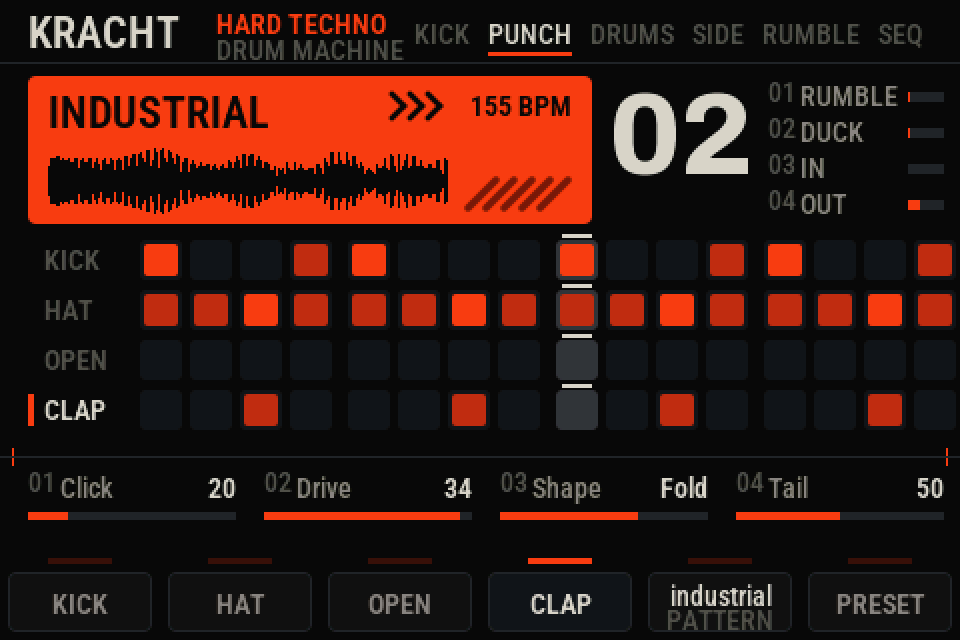
    K2PUNCH

    Click, drive up to 36 dB, four shapes from Soft to Hard, the sub tail.
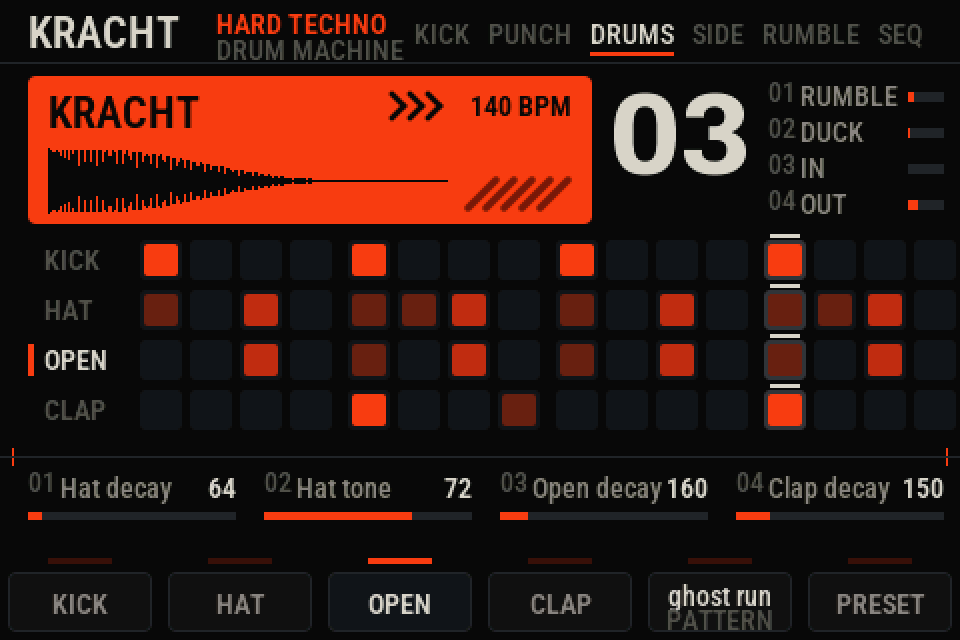
    K3DRUMS

    Hat, open hat and clap: decay and tone.
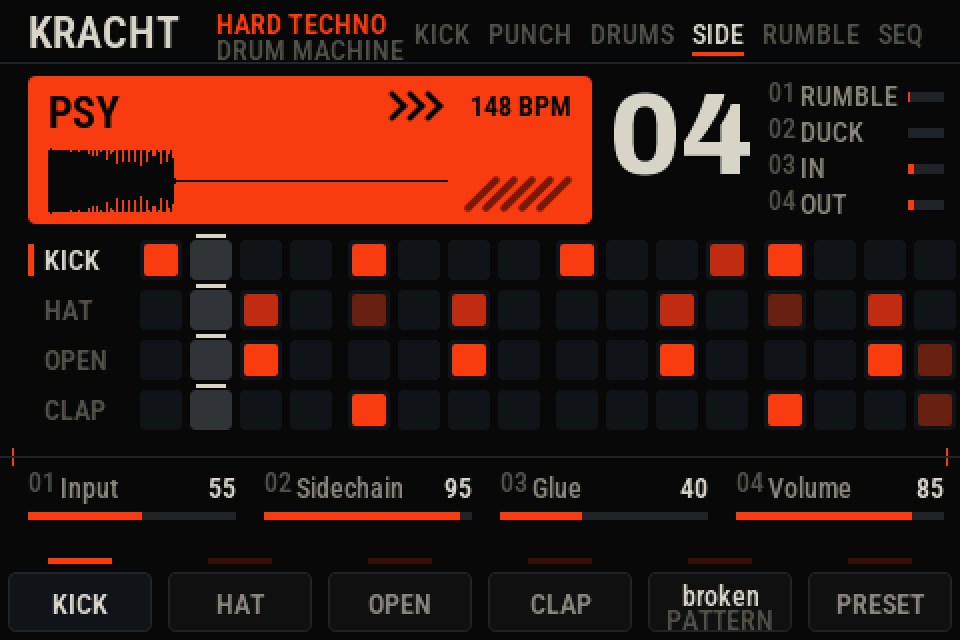
    K4SIDE

    IN 1+2 into the mix, how deep the kick ducks it, master glue, volume.
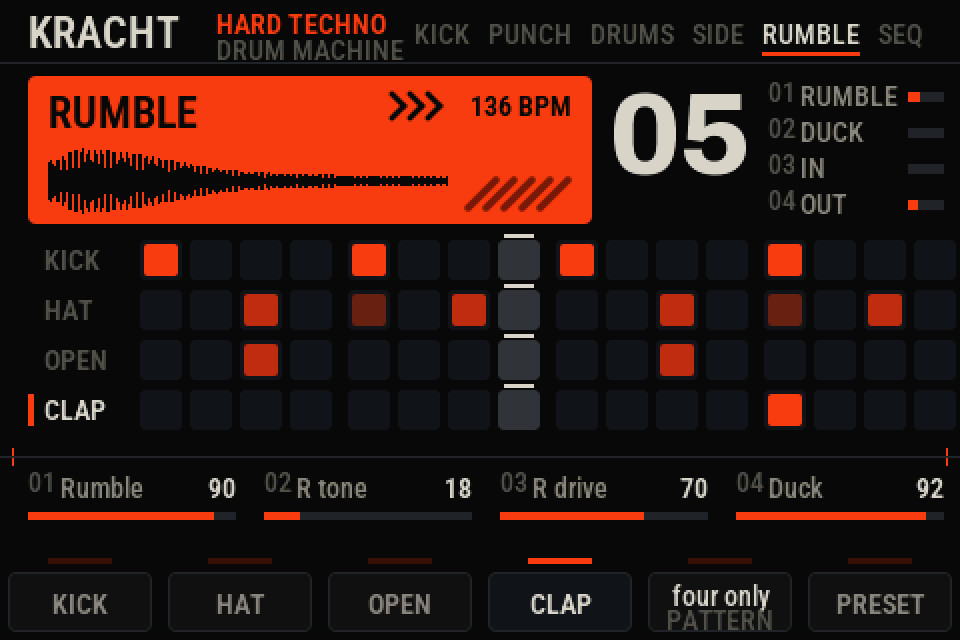
    K5RUMBLE

    Level, tone, drive, and how hard the next kick pushes it away.
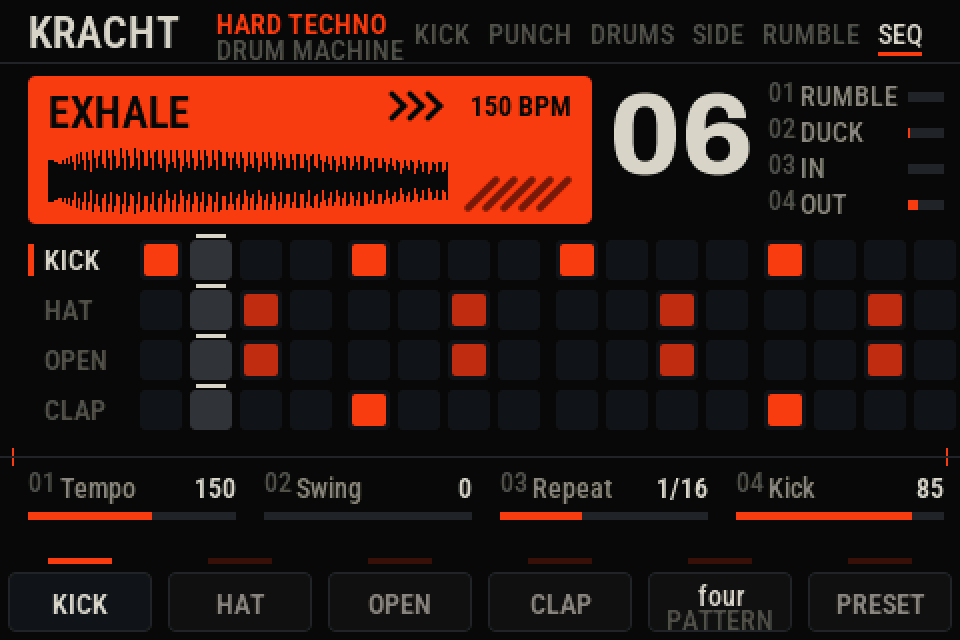
    K6SEQ

    Tempo, swing, repeat rate, lane level. With SHIFT: quantize, strength, the lane's length.
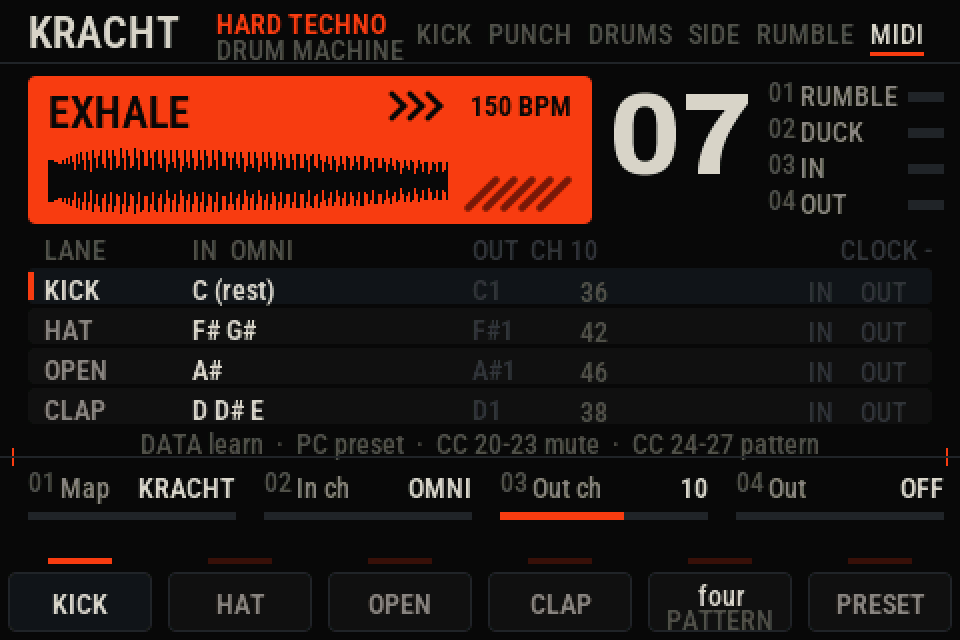
    K6 ×2MIDI

    Map (KRACHT, GM, MPC, learn), channels in and out, notes and clock out.
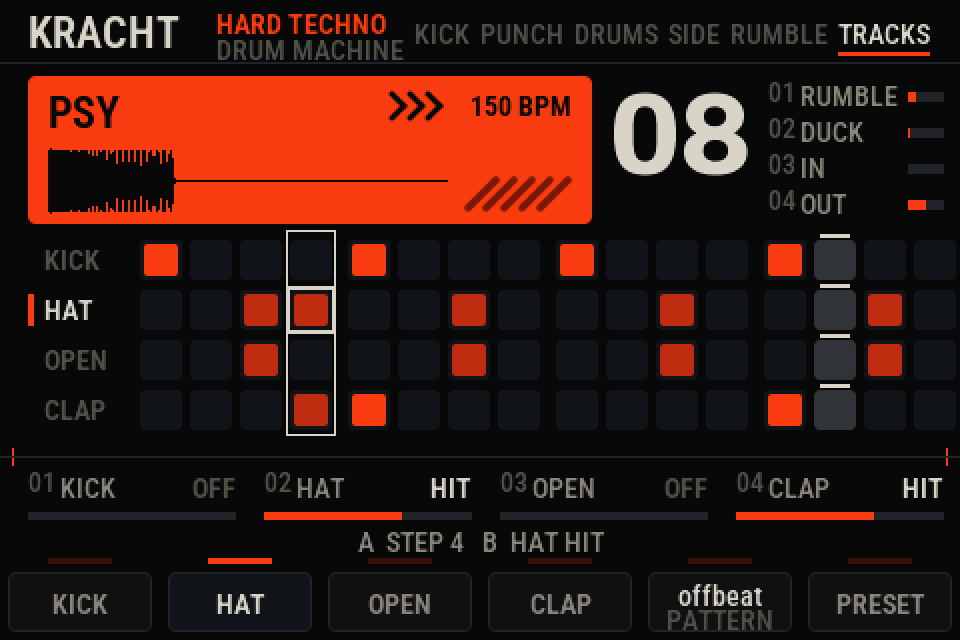
    K6 ×3TRACKS

    The steps without pads: A picks the step, B the value, the four encoders are the four lanes.
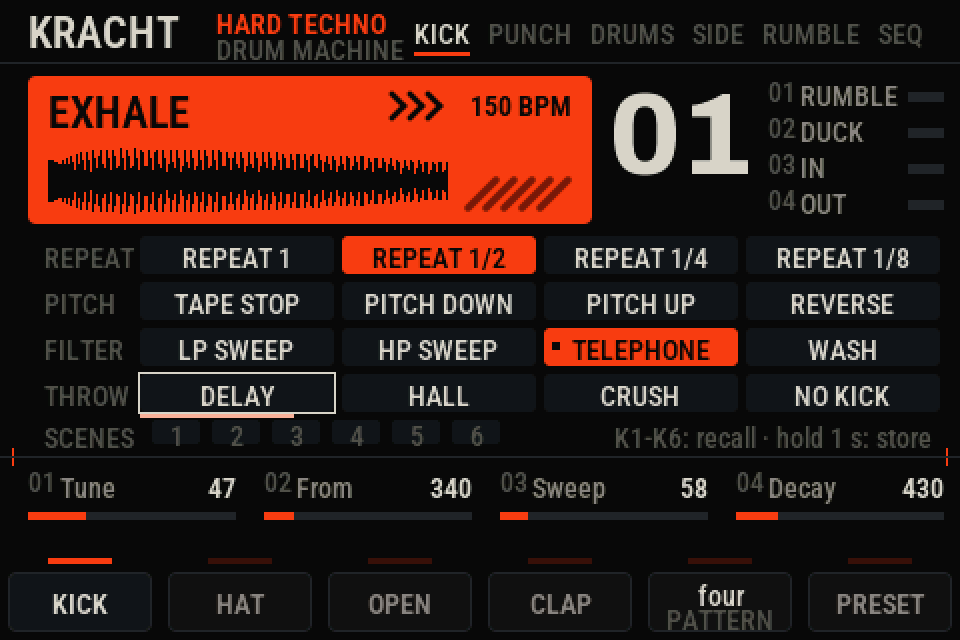
    SHIFTFX

    Held: the pads become 16 FX, the scenes sit under them. Without pads: A picks, + plays.

    05

    Perform

    Hold SHIFT and the pads turn into sixteen FX on the drums. IN 1+2 stays out of it and keeps pumping under a repeat.
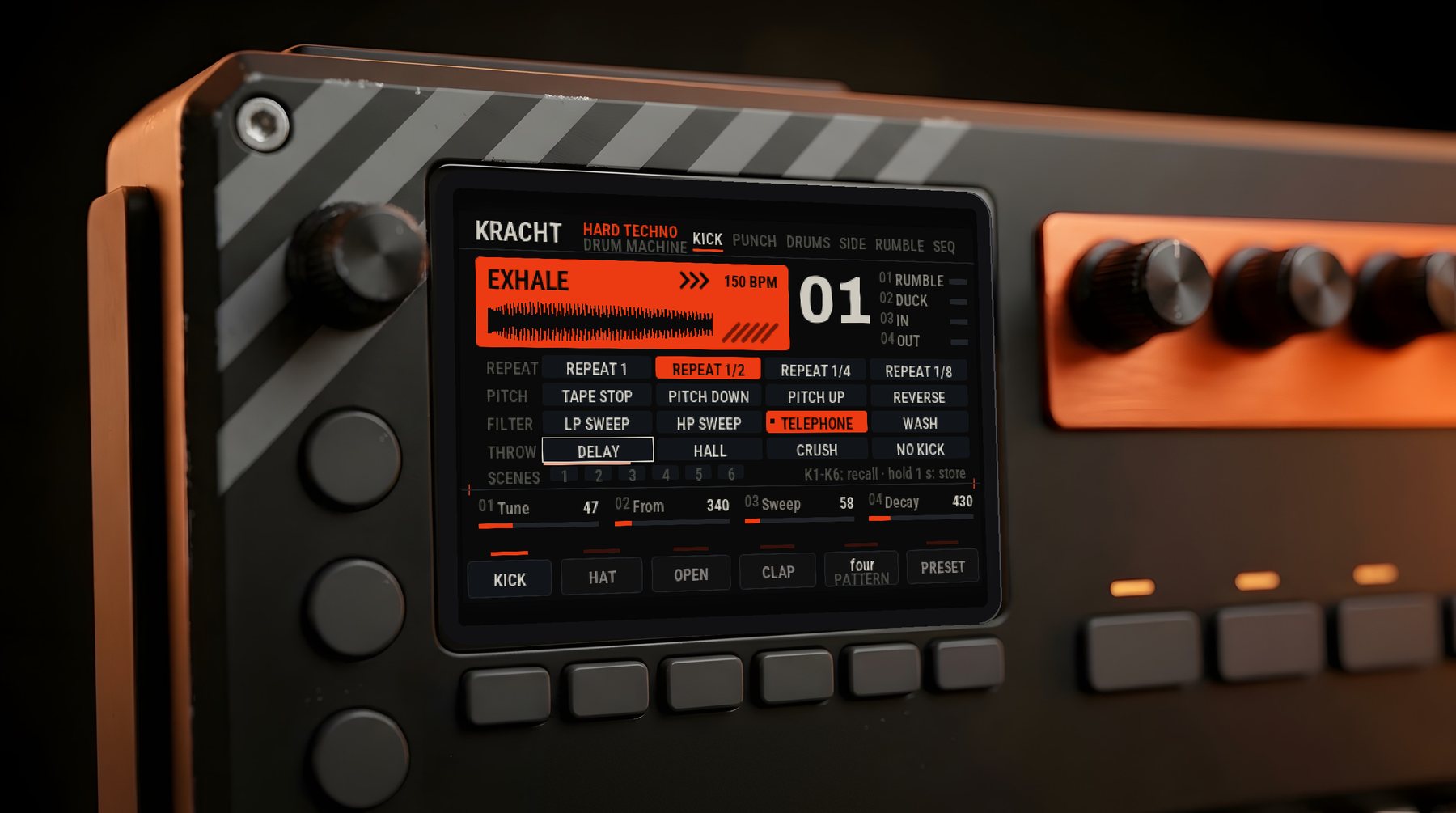
    Close-up concept render of a VIBE FM display showing KRACHT's FX grid: REPEAT 1/2 held, TELEPHONE latched Concept render · real screen · not a real product
    Repeat1 beat½¼⅛
    PitchTape stopDownUpReverse
    FilterLP sweepHP sweepTelephoneWash
    ThrowDelayHallCrushNo kick

    Laid out as the pads. On while held, tapped twice: latched. The pad's velocity is the amount; repeats start and end on a 16th.
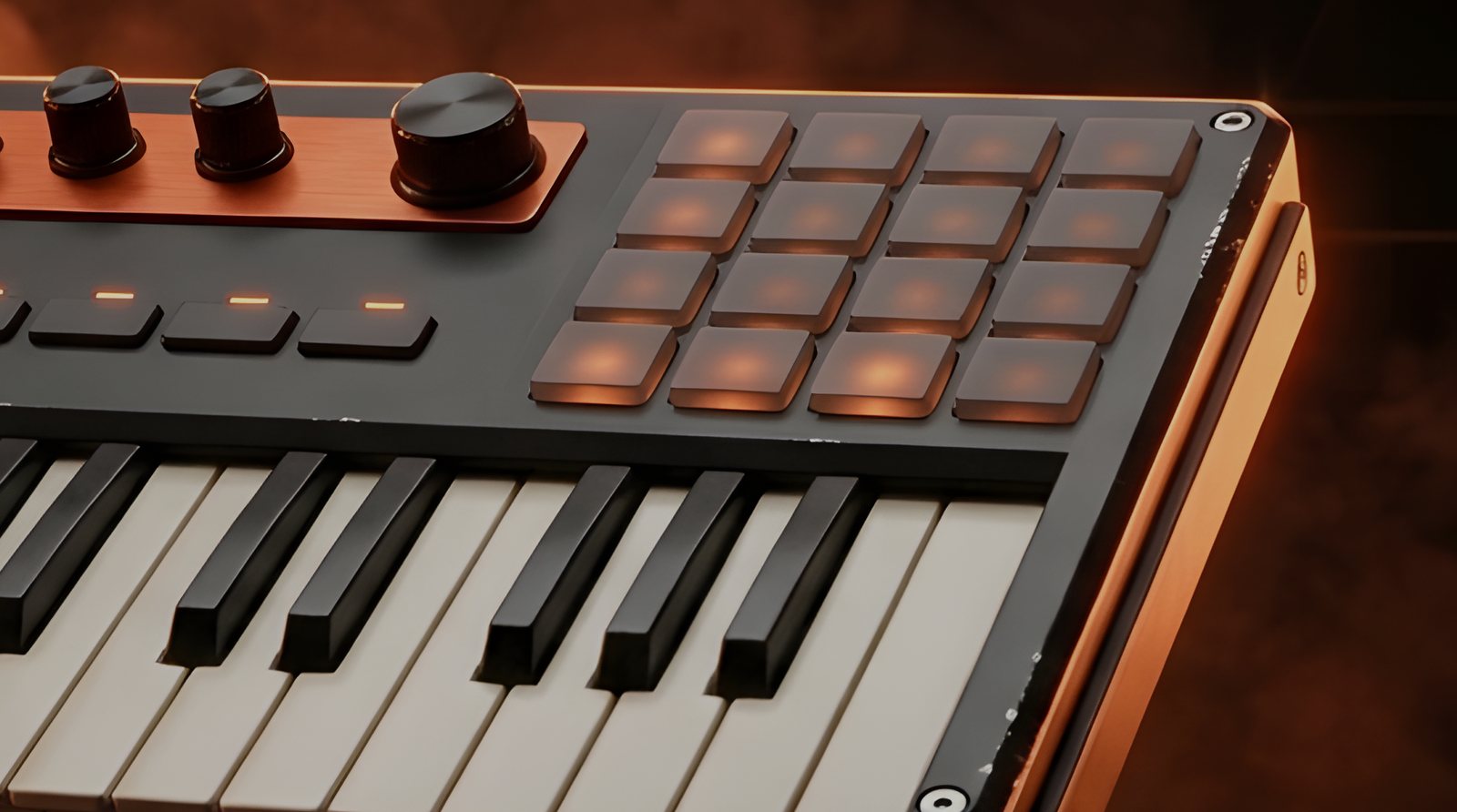
    Concept render: the sixteen glowing pads with the keys in front of them Concept render
    −Note repeat
    With K1–K6 as drums (SHIFT + RETURN): hold keys, their lanes repeat at 1/4 … 1/32 or triplets.
    RECOverdub
    Keys and MIDI land on the nearest 16th. SHIFT + REC: back to the pattern.
    SEQQuantize
    1/16 with swing, 1/8, 1/4 – and how hard it pulls, 50–100 %.
    SHIFT −Fill
    Tap: the half bar into the next bar. Hold: as long as you hold.
    SHIFT KScenes
    Six slots: steps, mutes, lengths, preset, sound. Recalled on the bar.
    LENGTHPolymeter
    1–16 steps per lane: hats in 7 against a kick in 16.
    MIDIBoth ways
    A DAW or an MPC plays KRACHT – or KRACHT plays them, notes and clock.
    SAVEDWhere you left off
    Values, steps, mutes, scenes – kept by itself and with the DAW project.

    Without pads: the VIBE Box

    No pads and no keys: steps, drums, fills, FX and scenes sit on its knobs and buttons. The tutorial shows it in two minutes – to try it in the web player, set View to Rack: the same controls, a little rearranged.
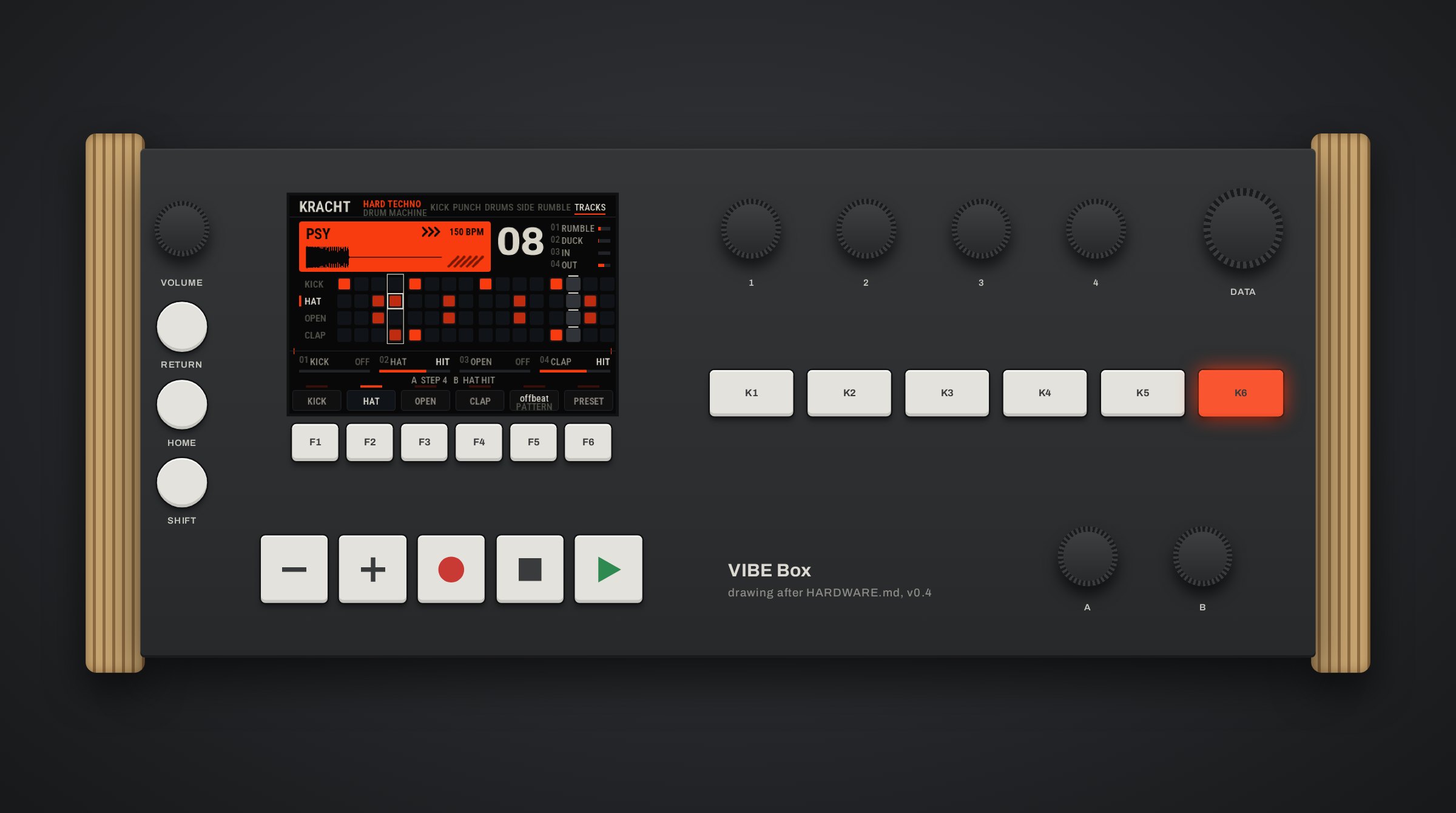
    Drawing of the VIBE Box v0.4 from above, with KRACHT's TRACKS page on its display 1Kick preset 2Four lanes 3Step · value 4K6 ×3 · TRACKS 5SHIFT: fill · FX 6 7Hold: clear Own drawing after HARDWARE.md v0.4 · simulated screen
    1DATA
    The kick preset. Pressed on TRACKS: the step on or off.
    2Encoders 1–4
    On TRACKS: kick, hat, open and clap on that step.
    3A · B
    On TRACKS the step and its value. With SHIFT: an FX and its amount.
    4K6
    Three times: the TRACKS page, the steps under the encoders.
    5− · +
    Kick preset. SHIFT: − fill, + plays the FX. Drum keys on: − repeats, + fills.
    6SHIFT + RETURN
    K1–K6 play kick, hat, open, clap, accent and ghost. Again: the pages.
    7F5
    The next pattern. Held for a second: the lane is empty.
    ·SHIFT + K1–K6
    Scenes: an empty slot stores, a stored one returns on the bar.
    K
    Drum machine
    01
    SPND · KRACHT

    HARD TECHNODRUM MACHINE

    1. Synthesised kick
    2. Rumble
    3. WARNING
    4. Sidechain
    5. Gate out
    Kick
    30 values
    4× OS
    Rumble
    2.6 s hall
    per kick
    Format
    wasm32
    GPL-3.0
    X
    06

    Why it exists

    Most drum firmwares play samples. KRACHT builds every hit from scratch, and it uses what the VIBE has and the FM-1 never had.

    01 · SynthesisA kick you design, not pick

    Pitch sweep, zap chirp, wave fold, tube drive, click, sub tail – a full kick designer, run at 4× oversampling on the VIBE, so hard drive stays clean.

    02 · RumbleThe rumble is made from your kick

    Each new kick is convolved with a dark hall by FFT, saturated, low-passed and ducked by the next one. Change the kick and the rumble follows.

    03 · SidechainEverything pumps with the kick

    Plug a synth, a pad or a whole mix into IN 1+2: the kick ducks it, with the release in beats.

    04 · JacksGATE OUT on every kick

    A 10 ms trigger for a modular, an analog drum or a compressor's key. In the plugin it follows the DAW.
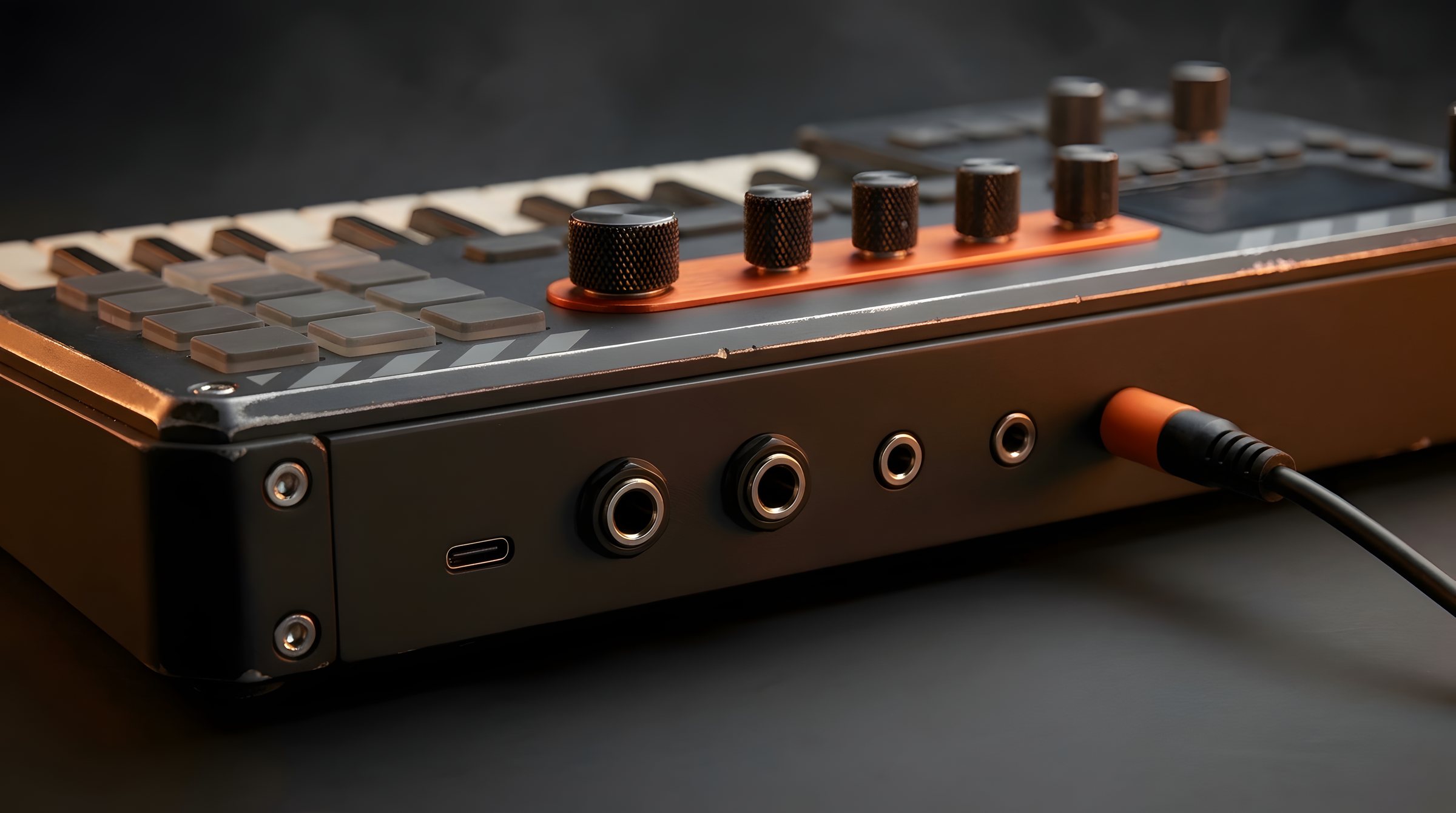
    Concept render of a VIBE FM's rear panel: USB-C, two large jacks, three small jacks, an orange patch cable 1USB-C · MIDI 2IN 1 3IN 2 4Gate out Concept render · the VIBE has more jacks (OUT, PHONES, CV, MIDI DIN)
    1USB · MIDI
    MIDI in and out to a computer – DIN works the same.
    2IN 1
    A synth, a pad, a whole mix: SIDE · INPUT brings it in.
    3IN 2
    The second half of the stereo input, ducked the same.
    4Gate out
    10 ms on every kick. Patch it into a modular.
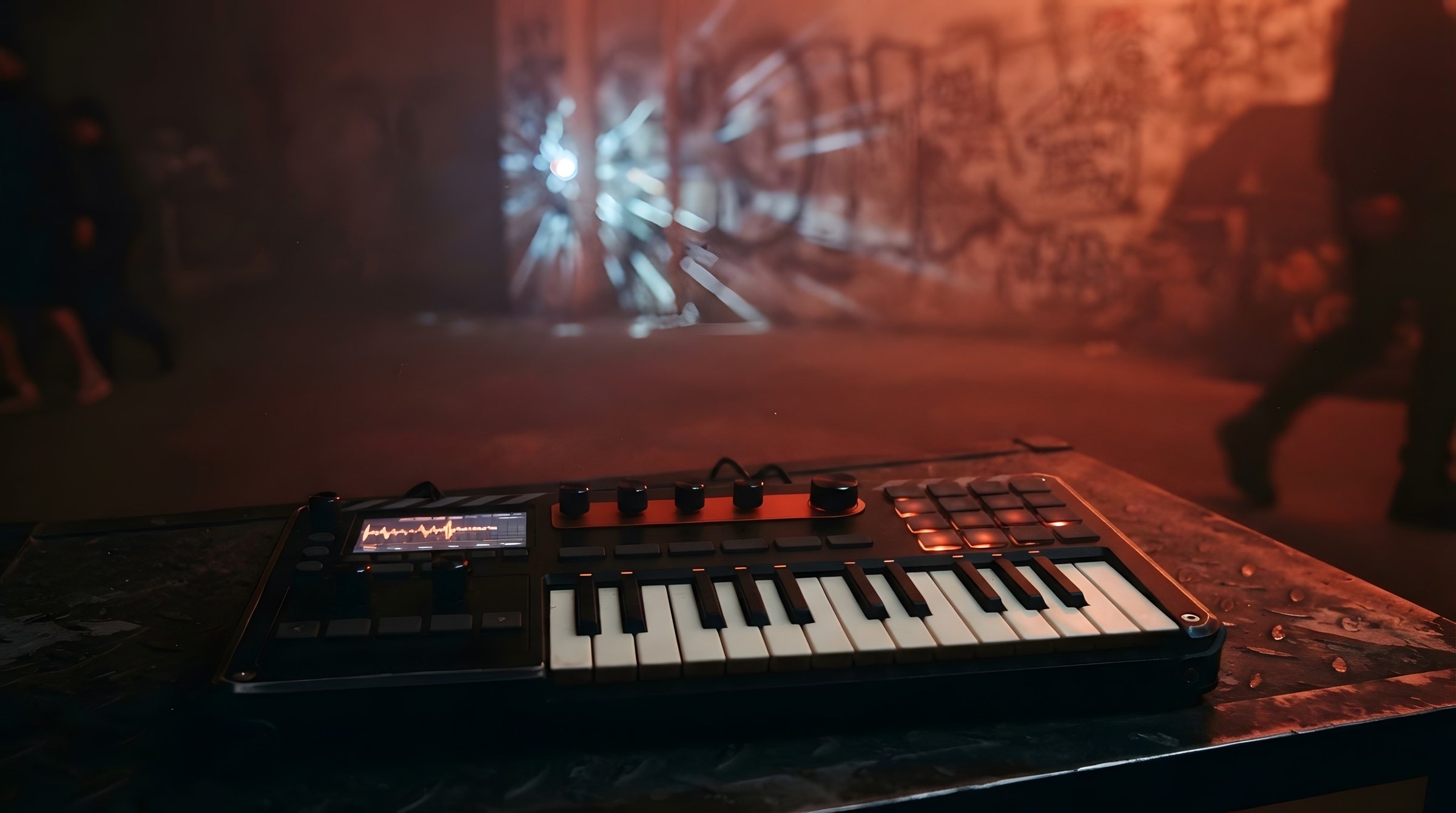
    Concept render of the device on a steel table in a dark club

    Played by hand · no samples

    Built for
    the floor.
    Concept render
    07

    Get it

    Free, open source, one file. Drop it onto the device in the VIBE FM player, or onto the plugin.

    KRACHTv0.5.2 · A
    White label1 file · 0 samples
    FREEGPL-3.0

    KRACHT

    Hard techno drums for VIBE FM Mk1 · v0.5.2
    Download kracht.wasm / .zipThe latest release on GitHub
    SPND · KR-003Side A / Side B

    Tracklist

    1. A1Kick designer30 values · 4× OS
    2. A2Seven kick presetsEXHALE … INDUSTRIAL
    3. A3The rumbleFFT per kick
    4. A4Hat · open hat · clapsynthesised
    5. B116 steps, mutes, patternson the bar
    6. B2SidechainIN 1+2
    7. B3Gate out10 ms per kick
    8. B416 FX · scenes · fillson the pads
    9. B5MIDI in and outnotes · clock

    Put it on

    Open KRACHT in the VIBE FM player.
    Or download kracht.wasm and drop it onto the device.
    In a DAW: drop kracht.zip onto VIBE FM VST. PLAY.
    Free · open source · GPL-3.0
    08

    Cheat sheet

    The same sheet the VIBE FM player shows beside the device. HOME on the VIBE shows it too.

    SYS: ARMED
    KRACHT 0.5.2 — HARD TECHNO DRUMS150 BPM · 4/4 · NO SAMPLES
    [[[ WARNING ]]]HIGH
    VOLUME
    KICK ARMED >
    RUMBLE ROLLING >